
HTTP / HTTPS / FTP
Use multiple connections, resume interrupted downloads and restore tasks after restarting the app. Supports checksums, Metalink and mirror URLs. Uses the system proxy by default.
 MuleeOpen-source tool · Mac downloader
v0.1.11
MuleeOpen-source tool · Mac downloader
v0.1.11
HTTP / BT / eD2k / Video
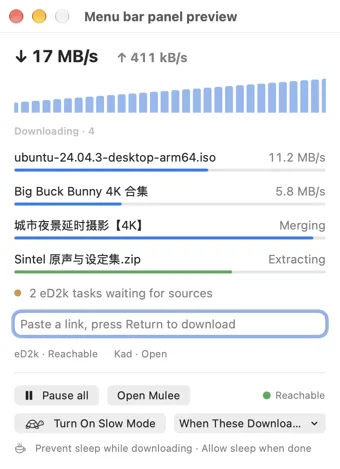
Download files over HTTP / FTP, BitTorrent and eD2k, or save videos. Tasks share a queue and settings, with automatic archive extraction and network diagnostics.
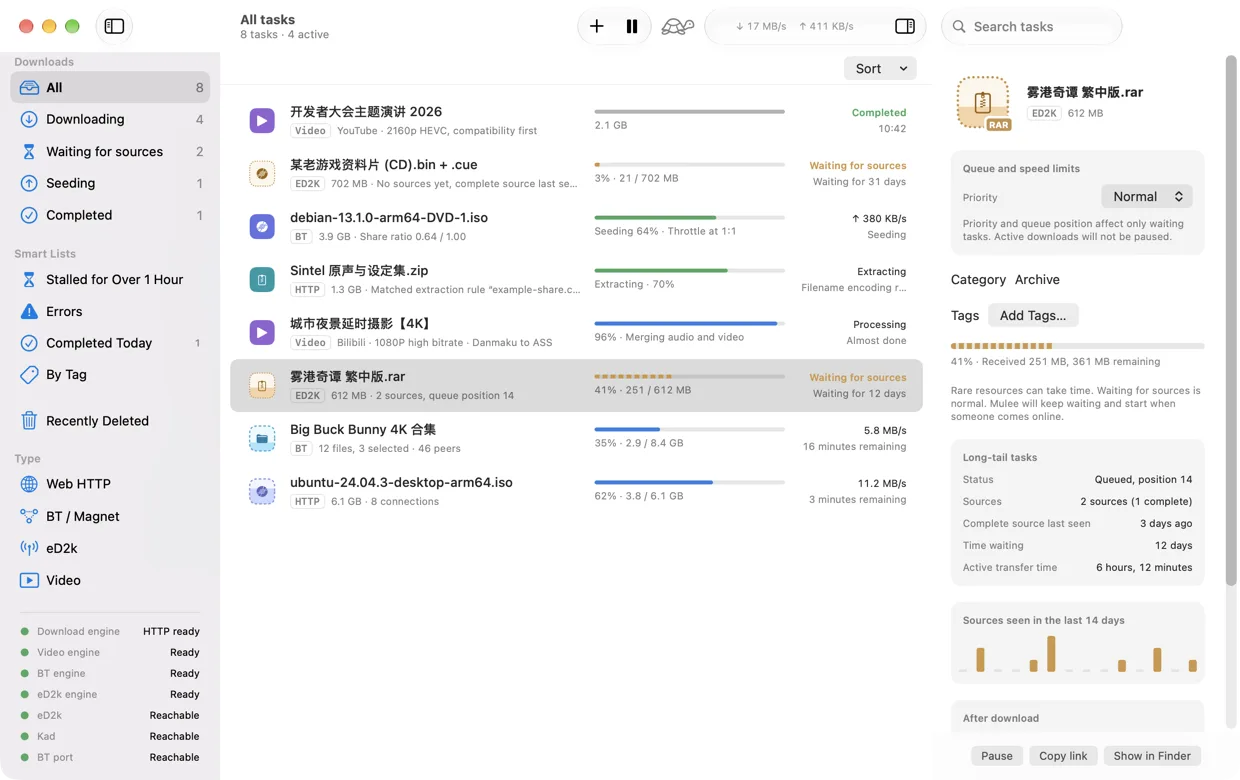
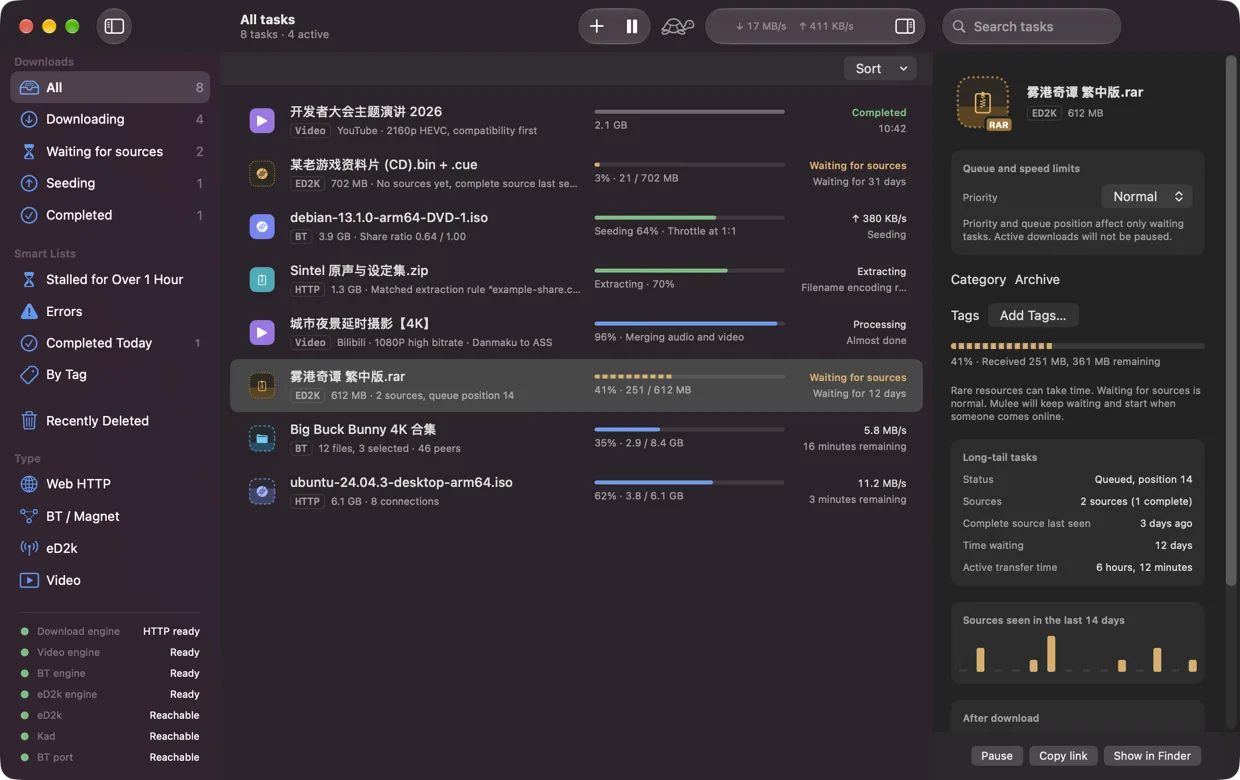
The task list shows download, waiting, seeding and extraction status.
Use multiple connections, resume interrupted downloads and restore tasks after restarting the app. Supports checksums, Metalink and mirror URLs. Uses the system proxy by default.
Select the files you need and keep seeding after download. Throttle or stop at a 1:1 share ratio, with an optional exemption for private torrents.
Rare files can wait for sources for weeks. Task details show queue position and source counts.
Download videos from Bilibili / YouTube. Select parts, collections and YouTube playlists, choose subtitles, or download just the audio or a specific time range. Convert Bilibili danmaku to ASS subtitles.
Extract archives after download. Passwords used in extraction rules are stored in Keychain. Fix garbled filenames encoded in GBK / Big5 / Shift-JIS.
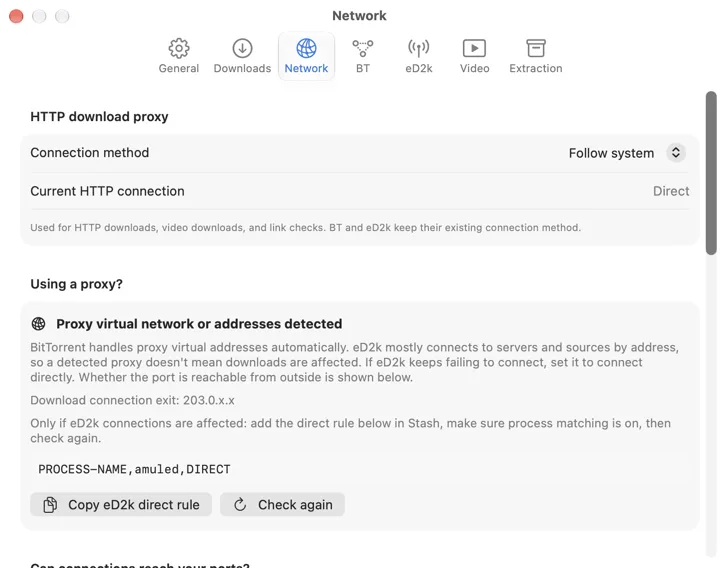
Check P2P proxy routing and whether listening ports accept outside connections. Copy routing rules or consult the port-forwarding instructions.
An eD2k task waits while its sources are offline, sometimes for days or weeks. Downloading can resume when a source comes back online.
If BT / eD2k cannot find sources, open Settings / Network. Check whether P2P traffic may be passing through a proxy and whether listening ports accept outside connections.
Stash / Clash direct-routing rules
PROCESS-NAME,amuled,DIRECT
PROCESS-NAME,mulee-torrentd,DIRECT
Direct routing alone does not make a port reachable. Follow the port-forwarding instructions in Settings and check incoming connectivity again. Process-name rules require process recognition to be enabled.
Get Mulee from GitHub Releases for an Apple Silicon Mac running macOS 26 or later.
Open the DMG, drag Mulee into Applications and launch the app.
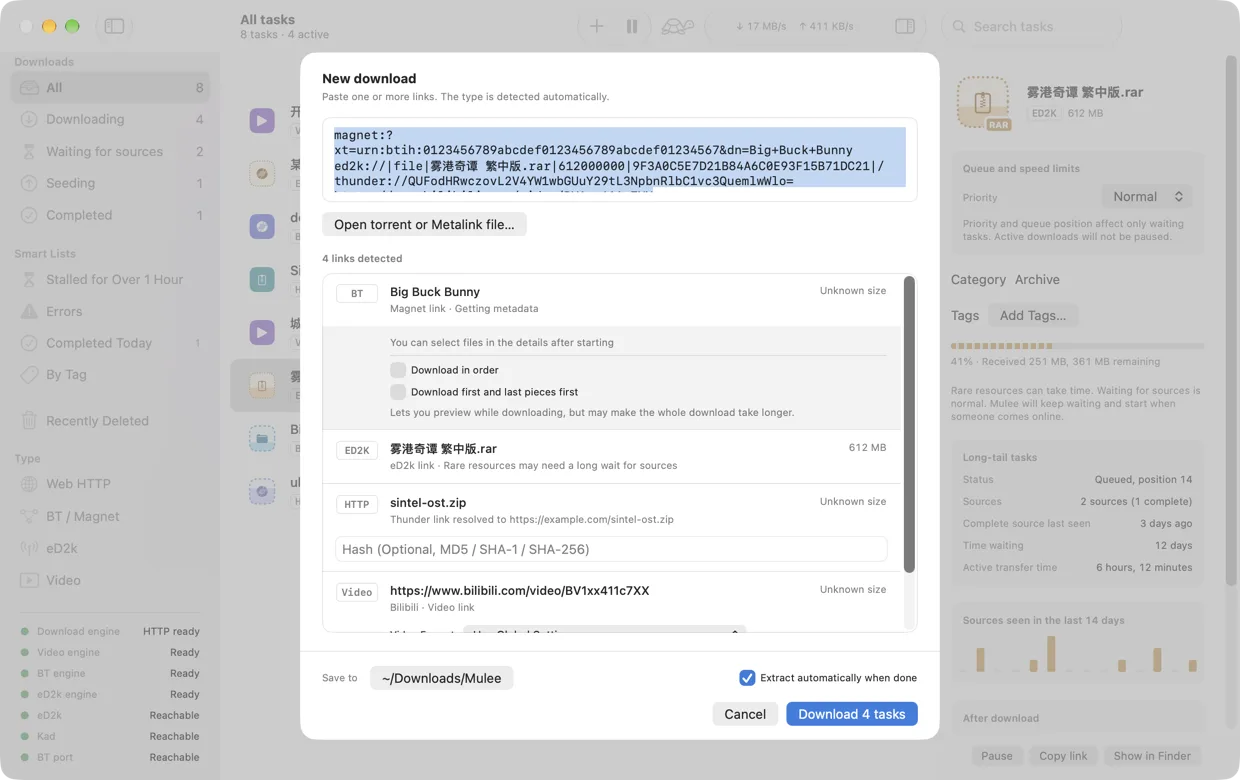
Paste a download link or open a torrent file, then confirm in the New Download panel.
Optional: choose Mulee as the default app in Settings / General, enable the Safari extension or install the Chrome extension. Browser extension guide ↗
Mulee requires macOS 26 or later and an Apple Silicon Mac. Intel Macs are not supported. It is an early 0.1.x release; this page describes version 0.1.11.
Yes. Mulee is free to use, open source under GPL-3.0 and ad-free. Source code is on GitHub. Third-party components retain their own licenses.
The source is public. Distributed builds are Developer ID signed and notarized by Apple. The browser extensions collect no data or telemetry; they pass selected links and related page information to the local app. Downloads start only after confirmation.
Open Settings / Network, add the suggested Stash / Clash direct-routing rules if needed, enable process recognition and check again. Direct routing does not guarantee reachable ports. Check port forwarding and incoming connectivity too.
HTTP / HTTPS / FTP, magnet links, .torrent files, ed2k, Bilibili / YouTube video pages and thunder:// links, which are decoded to the original URL.
The app supports English, Simplified Chinese and Traditional Chinese. This product page is available in eight languages. Screenshots use English except on the two Chinese pages.
Installers and release notes are on GitHub Releases. Mulee is free, licensed under GPL-3.0 and has no ads.
Mulee is a download tool. Only download content you have the right to access.