
Business impact first
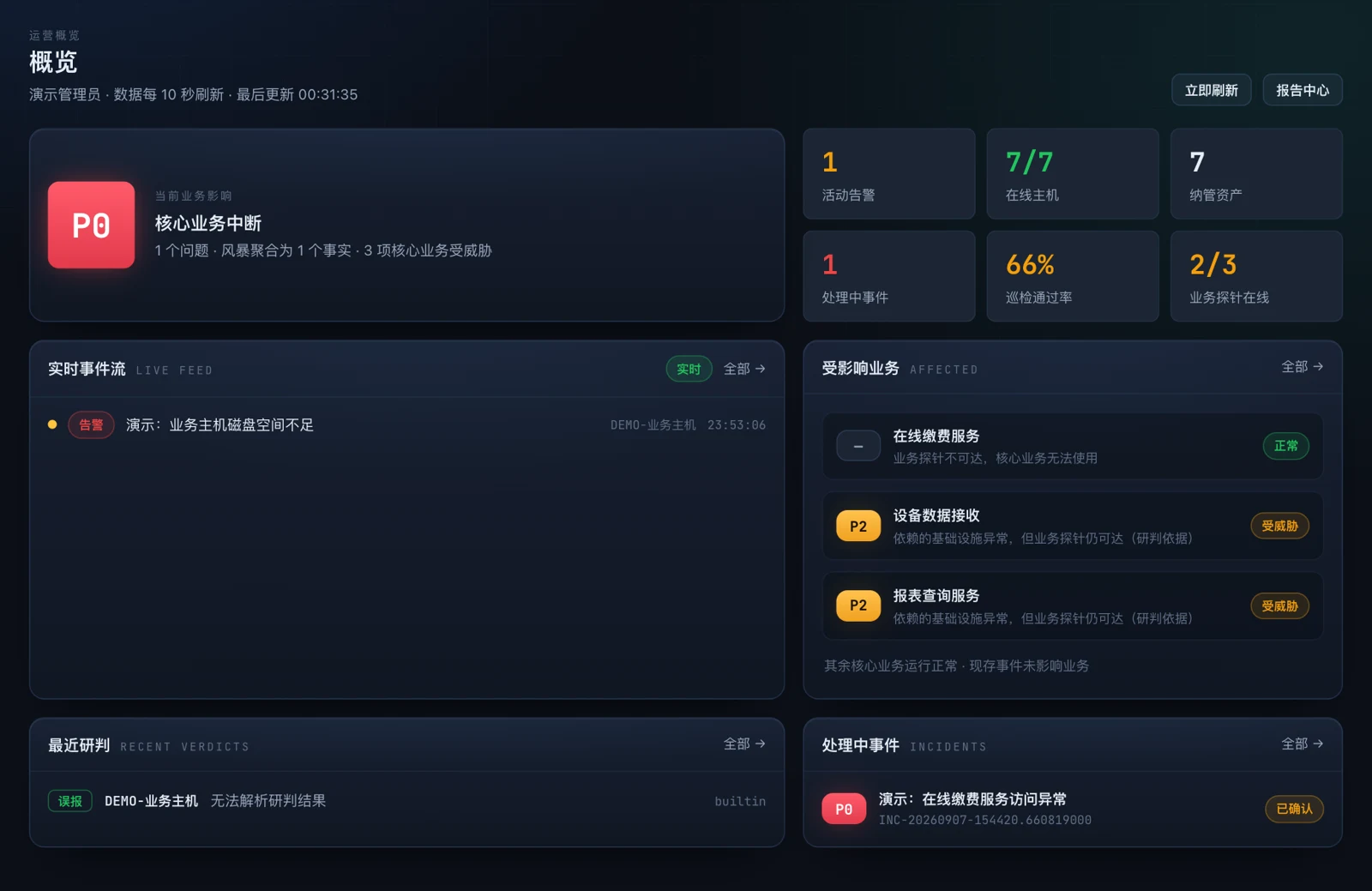
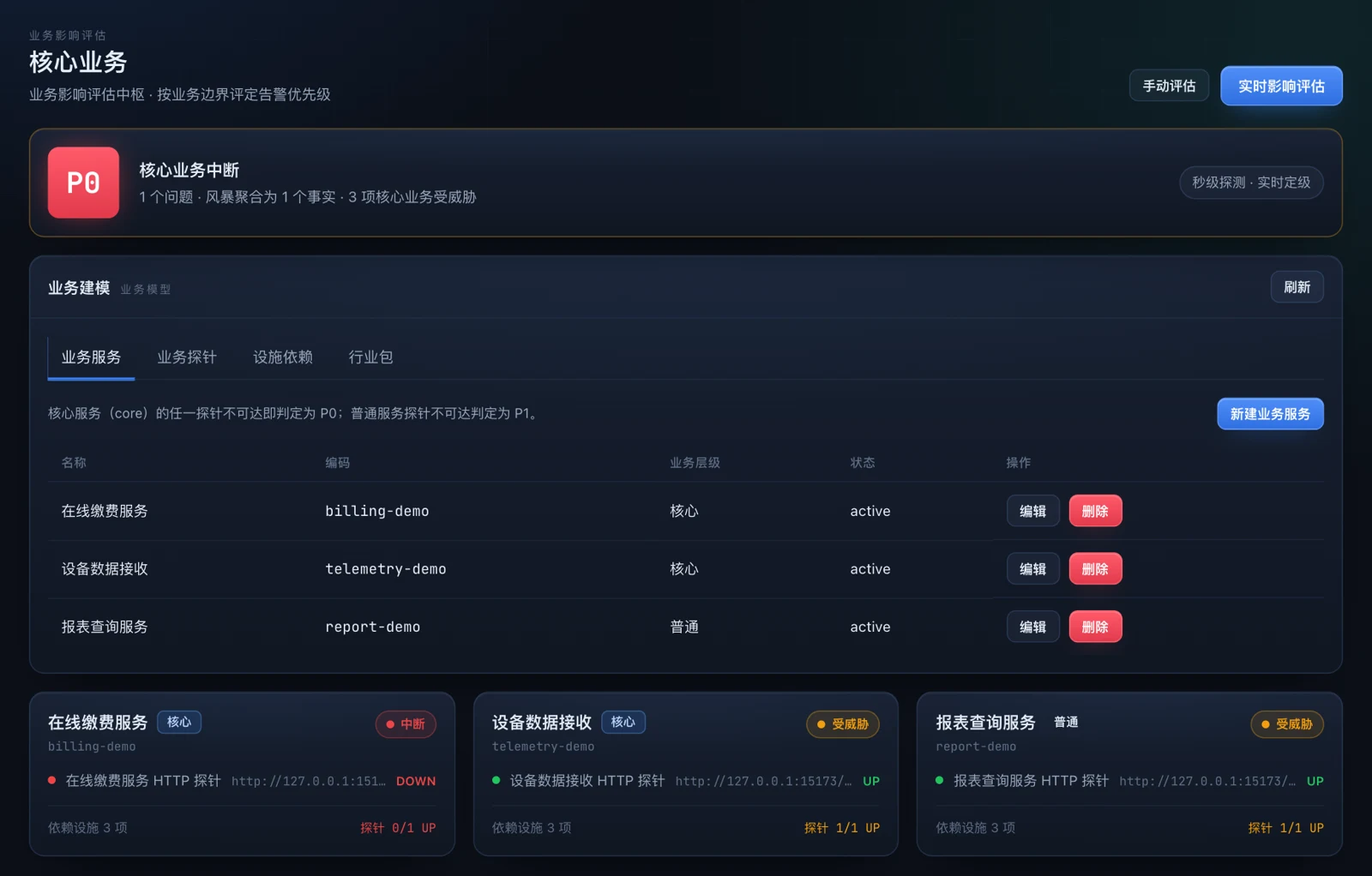
Evaluate business tiers, HTTP probes and confirmed dependencies. An equipment alert does not by itself prove a business outage.
Combine business probes, asset dependencies, monitoring alerts, and inspection evidence to assess impact, investigate issues, and track handling.
Content reviewed · v1.4.3
01 / Capabilities
Evaluate business tiers, HTTP probes and confirmed dependencies. An equipment alert does not by itself prove a business outage.
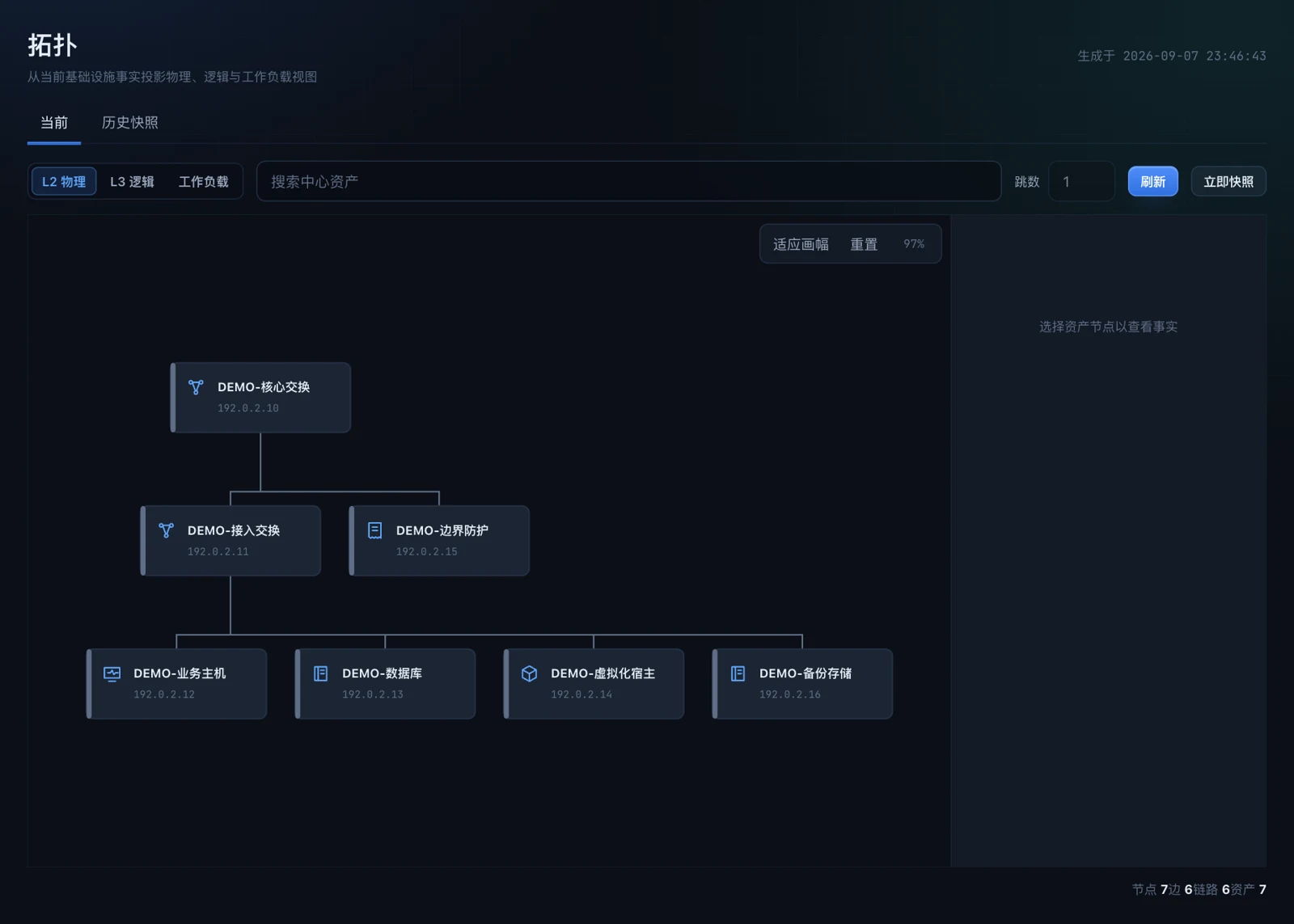
Maintain asset facts, connections and topology changes. Review discovered relationships before confirming dependencies.
Use Zabbix metrics and history to move from issues into asset and business context.
Separate collection from interpretation, retain partial results and unresolved items, and re-parse eligible jobs.
Extract standards into reviewable drafts and maintain templates, skills and retrieval content.
Continue investigations through conversations and bounded read-and-compute tools, with proposed changes and action records.
02 / Workflow
After an equipment alert, operators check the related business probes and confirmed dependencies, then use monitoring issues, assets and topology to narrow the investigation. Inspections and the assistant provide reviewable evidence and suggestions. People decide how to act. Dependencies need human confirmation; insufficient evidence or no identified impact does not prove there is no fault.
03 / Product screenshot
04 / Deployment & scope
Private deployment uses PostgreSQL and pgvector. Configure access to monitoring, assets and site accounts with appropriate permissions. Discovery methods, sites and collection protocols depend on the environment.
Approving an assistant’s proposed change does not automatically execute it. Some management and equipment configuration features perform writes; the whole platform is not read-only. Demonstrations are not production acceptance evidence.
05 / FAQ
AIOA Aegis
Aegis uses Zabbix metrics and history while adding business impact, dependencies, inspection evidence and knowledge governance. It is not a complete replacement for monitoring.
No. The assistant can propose change drafts, but approval does not cause the platform to execute them. People retain responsibility for remediation.
Not necessarily. Assessment depends on confirmed relationships, probes and available evidence. No identified impact does not prove a fault-free environment.
Aegis combines business probes, asset dependencies and monitoring evidence to help identify affected services, investigation starting points and responsibility for follow-up. Findings depend on connected data and established dependencies.
Confirm assets, sites, monitoring sources, access accounts and collection protocols, and prepare a private deployment environment. Discovery and collection depend on site permissions; automatic connection to every device is not assumed.
06 / Resources
The product overview is in English and the brochures are English editions; product screenshots show the Chinese-language interface. Document versions may differ from web content; check the date and version.
HONGCHUANGDA TECHNOLOGY
Three independent products, deployable separately. Cross-product integration is scoped per project.